Best CRM for Corporate Development
Build your best deal flow with Copper.
Manage your pipeline and nurture founder relationships right from your inbox.











Manage your pipeline and nurture founder relationships right from your inbox.

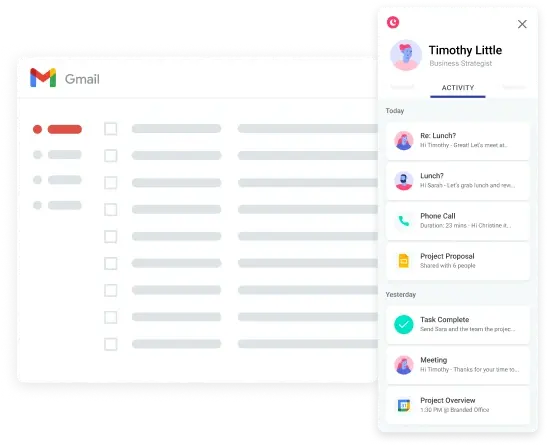
You live in Gmail. So does Copper — so you can continue to work directly out of your inbox.

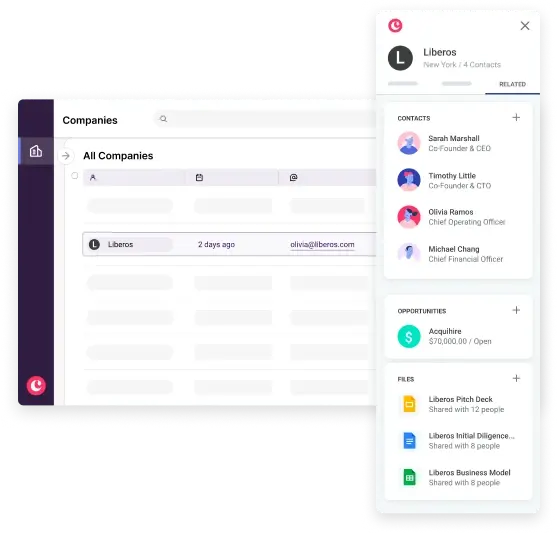
Copper tracks every founder, CEO and company touch point so you never lose important collective knowledge. All your emails, company data points, term sheets, models and diligence notes are automatically attached to the relevant contact record. Finally, all your deal data in one central place, so the next time your CFO asks for an update — you'll have it.

Copper automatically pulls in contact details and important company data from your email and the web — without you having to update it manually. Instead of spending hours maintaining a database, your team can focus on due diligence and outreach to get more exciting deals in the pipeline.
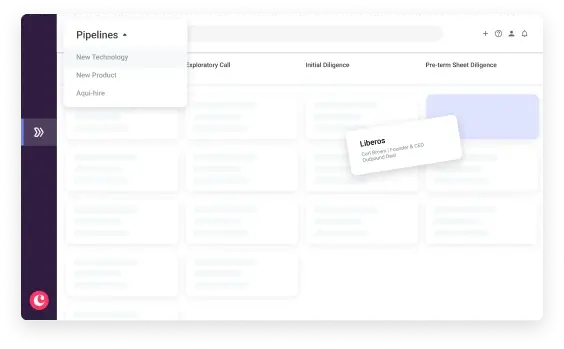
Copper’s customizable drag-and-drop pipelines make it easy to get a visual representation of current deals and investments in real time. Instantly see where each deal is in the process and how many deals are in each stage. Always know how your team is contributing to the top business growth priorities.
Copper’s Google Workspace integration works seamlessly with your Gmail, Calendar and Drive, saving your team tons of time. No more switching tabs to add leads, track email conversations, find files, or manage tasks in your deal flow.




hours per user per week saved on manual data entry
more accurate reporting
increase in team collaboration when closing deals
faster response time to prospects and clients
Copper automatically captures every touchpoint with a founder, CEO, or company (emails, meetings, files, notes, term sheets, and diligence documents) and attaches them to the relevant contact record without any manual data entry. This means your entire team's collective knowledge about a company is preserved in one place, even if relationships span years or team members change. You can pick up a conversation right where it left off, with full context on every prior interaction, so no institutional knowledge ever walks out the door.
Yes, Copper's customizable drag-and-drop pipelines give you a real-time visual overview of every deal in your pipeline, organized by stage. You can instantly see how many deals are at each phase, from initial outreach through diligence to term sheet, and identify which ones need attention or have gone cold. Copper also supports multiple pipelines, so you can run separate deal flows for acquisitions, partnerships, or investment categories without everything getting jumbled together in a single view.
Not at all: Copper works directly inside Gmail, Google Calendar, and Google Drive, so your team can manage the entire deal flow without ever leaving their inbox. Contact details and company data are pulled in automatically from emails and the web, meaning records stay current without anyone having to manually update them. As the page notes, Copper users save an average of 5 hours per user per week on manual data entry alone, time that goes back into sourcing and due diligence instead.
Copper surfaces deal status and activity in real time, so everyone on the team, from analysts to the CFO, has an up-to-date picture of where each deal stands without having to chase someone for a status update. Copper customers report a 48% increase in team collaboration when closing deals, and a 39% faster response time to prospects. Automated reminders and task assignments mean the right person gets notified at the right moment, so no follow-up slips through the cracks during a fast-moving diligence or negotiation process.
Copper is built on Google Cloud infrastructure, which meets Google Cloud's own rigorous security standards, a meaningful bar for organizations handling sensitive M&A and investment data. All your term sheets, financial models, and diligence notes are stored and linked directly to the relevant contact or deal record within this secure environment. Copper also operates within the Google Workspace ecosystem, meaning your organization's existing Google security policies and access controls extend naturally to your CRM data.
No credit card required. Start your 14-day free trial today.